
Your Cart is empty
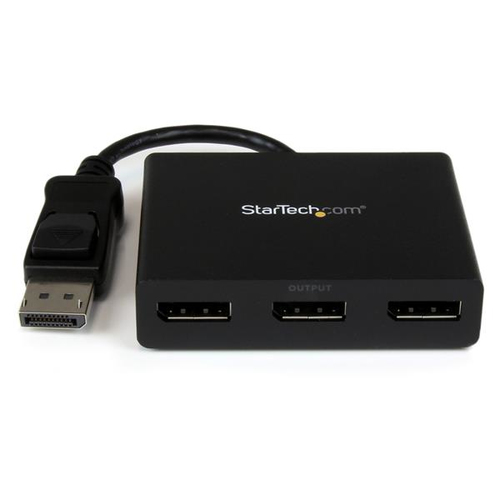
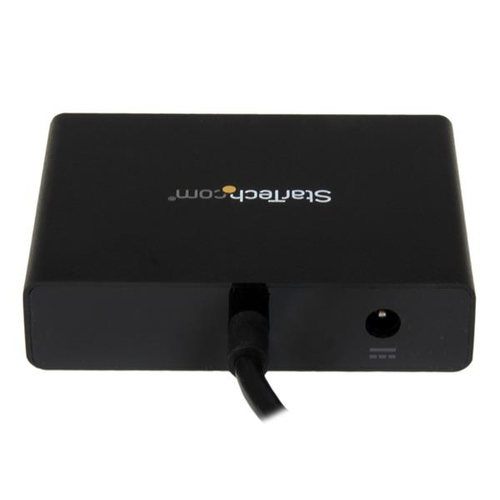
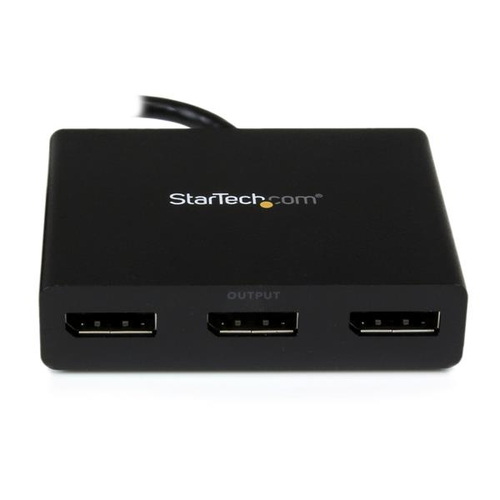
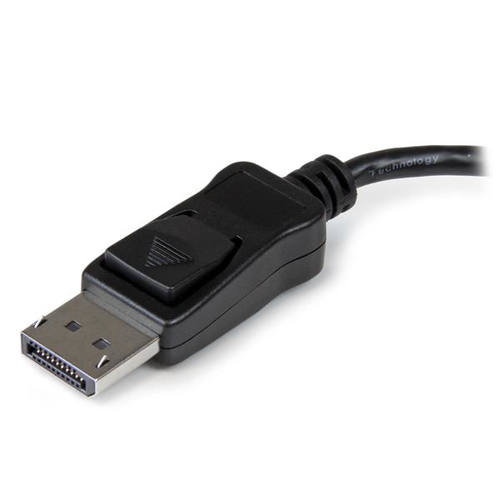
StarTech.com MSTDP123DP video splitter DisplayPort 3x DisplayPort
StarTech.com MSTDP123DP video splitter DisplayPort 3x DisplayPort
SKU : MSTDP123DP
StarTech.com MSTDP123DP video splitter DisplayPort 3x DisplayPort
Short Description:
StarTech.com MSTDP123DP, DisplayPort, 3x DisplayPort, Black, Plastic, 7.48" (0.19 m), REACH, CE, FCC
Manufacturer part number :
MSTDP123DP
Vendor
:
StarTech.com
Stock
:
110
Description
Use this adapter to connect three independent displays to a single DP 1.2 port
This MST hub lets you connect three monitors to your DisplayPort™ (DP) 1.2 equipped Windows® laptop or desktop.
Increase productivity with multiple screens
The newest generations of computers are more portable than ever, which often means that you’re left with fewer video outputs and smaller integrated screens. This MST hub solves both of these problems by letting you connect three additional displays to your computer, which makes multitasking much easier.
Connect to any display
With the MST hub, you can use DisplayPort video adapters and cable adapters that enable you to connect HDMI, VGA or DVI displays. This ensures your MST hub will be compatible with virtually any television, monitor or projector. This MST hub is VESA and DisplayPort certified to support DP 1.2 enabled systems, for seamless integration with your existing video equipment.
Configure your displays for any environment
Using the MST hub, you can extend your desktop onto additional monitors and stream independent content to each display giving you the freedom to multitask and increase your productivity. You can also mirror the same image onto multiple displays for remote viewing applications such as digital signage.
Enjoy amazing video quality, without draining system resources
MST technology uses your existing video card to minimize the use of system resources while delivering Ultra HD 4K resolutions. This unprecedented performance makes MST perfect for high-resolution applications such as graphic design, gaming and medical imaging.
Note: When using a DisplayPort 1.1 video card the MSTDP123DP will act as splitter, automatically mirroring your video source across all displays. Resolution limitations apply.
The MSTDP123DP supports plug-and-play installation for a hassle-free setup, and is backed by a StarTech.com 3-year warranty and free lifetime technical support.
Note: MST shares 21.6 Gbps across all attached displays. Higher resolutions can restrict the available bandwidth with the remaining ports, please see our guideline below for determining an ideal resolution for your setup. Certain graphics adapters have limited MST support and will only output to three displays in total. If more than three monitors are attached the fourth will be disabled.
Average Resolution Bandwidth Allocation
1920x1080 (High-definition 1080p) @60hz - 22%
1920x1200 @60hz - 30%
2560x1440 @60hz - 35%
2560x1600 @60hz - 38%
3840 x 2160 (Ultra HD 4K) @30hz - 38%
Note: Exceeding 100% will reduce functionality.
Examples of Supported Resolution Configurations
Screen 1 Resolution
Screen 2 Resolution
Screen 3 Resolution
Total % of Bandwidth
1920x1200 @60hz (30%)
1920x1200 @60hz (30%)
1920x1200 @60hz (30%)
90%
2560x1440 @60hz (35%)
2560x1440 @60hz (35%)
1920x1200 @60hz (30%)
100%
2560x1600 @60hz (38%)
2560x1600 @60hz (38%)
1920x1080 @60hz (22%)
98%
3840x2160 @30hz (38%)
2560x1600 @60hz (38%)
1920x1080 @60hz (22%)
98%
3840x2160 @30hz (38%)
3840x2160 @30hz (38%)
1920x1080 @60hz (22%)
98%
Examples of Unsupported Resolution Configurations
Screen 1 Resolution
Screen 2 Resolution
Screen 3 Resolution
Total % of Bandwidth
2560x1600 @60hz (38%)
2560x1600 @60hz (38%)
1920x1200 @60hz (30%)
106%
3840x2160 @30hz (38%)
2560x1600 @60hz (38%)
1920x1200 @60hz (30%)
106%
3840x2160 @30hz (38%)
2560x1600 @60hz (38%)
2560x1440 @60hz (35%)
111%
3840x2160 @30hz (38%)
3840x2160 @30hz (38%)
3840x2160 @30hz (38%)
114%
The StarTech.com Advantage
This MST hub lets you connect three monitors to your DisplayPort™ (DP) 1.2 equipped Windows® laptop or desktop.
Increase productivity with multiple screens
The newest generations of computers are more portable than ever, which often means that you’re left with fewer video outputs and smaller integrated screens. This MST hub solves both of these problems by letting you connect three additional displays to your computer, which makes multitasking much easier.
Connect to any display
With the MST hub, you can use DisplayPort video adapters and cable adapters that enable you to connect HDMI, VGA or DVI displays. This ensures your MST hub will be compatible with virtually any television, monitor or projector. This MST hub is VESA and DisplayPort certified to support DP 1.2 enabled systems, for seamless integration with your existing video equipment.
Configure your displays for any environment
Using the MST hub, you can extend your desktop onto additional monitors and stream independent content to each display giving you the freedom to multitask and increase your productivity. You can also mirror the same image onto multiple displays for remote viewing applications such as digital signage.
Enjoy amazing video quality, without draining system resources
MST technology uses your existing video card to minimize the use of system resources while delivering Ultra HD 4K resolutions. This unprecedented performance makes MST perfect for high-resolution applications such as graphic design, gaming and medical imaging.
Note: When using a DisplayPort 1.1 video card the MSTDP123DP will act as splitter, automatically mirroring your video source across all displays. Resolution limitations apply.
The MSTDP123DP supports plug-and-play installation for a hassle-free setup, and is backed by a StarTech.com 3-year warranty and free lifetime technical support.
Note: MST shares 21.6 Gbps across all attached displays. Higher resolutions can restrict the available bandwidth with the remaining ports, please see our guideline below for determining an ideal resolution for your setup. Certain graphics adapters have limited MST support and will only output to three displays in total. If more than three monitors are attached the fourth will be disabled.
Average Resolution Bandwidth Allocation
1920x1080 (High-definition 1080p) @60hz - 22%
1920x1200 @60hz - 30%
2560x1440 @60hz - 35%
2560x1600 @60hz - 38%
3840 x 2160 (Ultra HD 4K) @30hz - 38%
Note: Exceeding 100% will reduce functionality.
Examples of Supported Resolution Configurations
Screen 1 Resolution
Screen 2 Resolution
Screen 3 Resolution
Total % of Bandwidth
1920x1200 @60hz (30%)
1920x1200 @60hz (30%)
1920x1200 @60hz (30%)
90%
2560x1440 @60hz (35%)
2560x1440 @60hz (35%)
1920x1200 @60hz (30%)
100%
2560x1600 @60hz (38%)
2560x1600 @60hz (38%)
1920x1080 @60hz (22%)
98%
3840x2160 @30hz (38%)
2560x1600 @60hz (38%)
1920x1080 @60hz (22%)
98%
3840x2160 @30hz (38%)
3840x2160 @30hz (38%)
1920x1080 @60hz (22%)
98%
Examples of Unsupported Resolution Configurations
Screen 1 Resolution
Screen 2 Resolution
Screen 3 Resolution
Total % of Bandwidth
2560x1600 @60hz (38%)
2560x1600 @60hz (38%)
1920x1200 @60hz (30%)
106%
3840x2160 @30hz (38%)
2560x1600 @60hz (38%)
1920x1200 @60hz (30%)
106%
3840x2160 @30hz (38%)
2560x1600 @60hz (38%)
2560x1440 @60hz (35%)
111%
3840x2160 @30hz (38%)
3840x2160 @30hz (38%)
3840x2160 @30hz (38%)
114%
The StarTech.com Advantage
- MULTI-MONITOR CONFIGURATION: Triple-Monitor DisplayPort 1.2 MST Hub drives up to 2x 4K 30Hz (UHD) + 1x 1080p 60Hz DisplayPort monitors using a DP video port on a Windows desktop PC or laptop; Not compatible with macOS
- NO DRIVERS OR SOFTWARE: Increase productivity by adding three extended or mirrored displays to a Windows computer; Utilize integrated or discrete GPU (Intel/AMD/Nvidia) capabilities enabling high performance graphics with minimal CPU usage
- HARDWARE COMPATIBILITY: Host system must support DP 1.2 / HBR2 / MST; Please verify maximum number of displays supported by your GPU; Some GPU chips (such as Intel HD Graphics) are only capable of supporting a maximum of three displays;
- EASY TO USE: Extend your desktop at your workstation in the office/home office; Latching DisplayPort connector ensures a reliable connection and prevents accidental disconnection; Not compatible with HDMI output ports; Universal Power Adapter included
- OUR ADVANTAGE: Included connectivity tools for IT Pro's and IT help-desk support teams with Windows Layout Utility which restores windows app locations when re-connecting the 3-Port DisplayPort Multi-Monitor Adapter
Specifications
Features
Plug and Play
Yes
Windows operating systems supported
Windows 10 Education, Windows 10 Education x64, Windows 10 Enterprise, Windows 10 Enterprise x64, Windows 10 Home, Windows 10 Home x64, Windows 10 Pro, Windows 10 Pro x64, Windows 7 Enterprise, Windows 7 Enterprise x64, Windows 7 Home Basic, Windows 7 Hom
Housing material
Plastic
Product color
Black
Cable length
7.48" (0.19 m)
Certification
REACH, CE, FCC
Logistics data
Master (outer) case height
9.06" (230 mm)
Master (outer) case width
13.4" (340 mm)
Master (outer) case length
19.7" (500 mm)
Quantity per master (outer) case
10 pc(s)
Harmonized System (HS) code
85176990
Operational conditions
Operating temperature (T-T)
0 - 45 °C
Storage temperature (T-T)
-20 - 70 °C
Packaging content
Included power plug types
AU, EU, NA, UK
Manual
Yes
AC adapter included
Yes
Packaging data
Package depth
6.1" (155 mm)
Package height
2.17" (55 mm)
Package width
9.02" (229 mm)
Package weight
14.4 oz (409 g)
Ports & interfaces
Video out
3x DisplayPort
Video port type
DisplayPort
Video ports quantity
3
Power
AC input voltage
110 - 240 V
Input current
0.5 A
Output current
3 A
Output voltage
5 V
Power consumption (typical)
15 W
Technical details
Compliance certificates
RoHS
Weight & dimensions
Weight
3.49 oz (99 g)
Width
3.07" (78 mm)
Depth
15.2" (386 mm)
Height
0.787" (20 mm)
Alternative Products
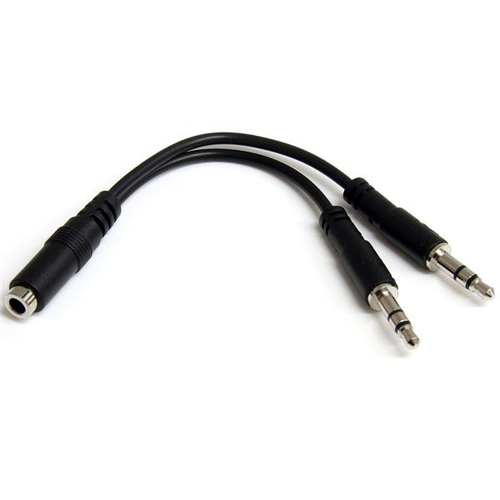
StarTech.com MUYHSFMM audio cable 5.12" (0.13 m) 3.5mm 2 x...
MUYHSFMM
StarTech.com MUYHSFMM, 3.5mm, Male, 2 x 3.5mm, Female, 5.12" (0.13 m), Black
Loading price
or
Loading price
/mo
1900
In stock
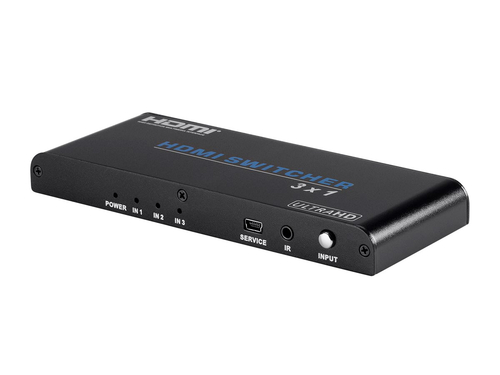
Monoprice 15262 video switch HDMI
15262
Monoprice 15262, HDMI, Black, 1080p, 10.2 Gbit/s, 7.1 channels, 4K Ultra HD
Loading price
or
Loading price
/mo
290
In stock
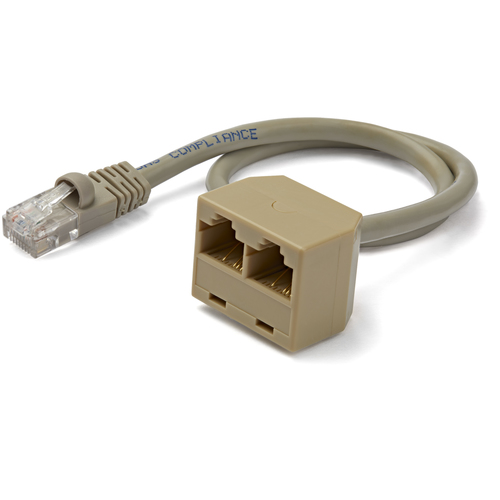
StarTech.com RJ45SPLITTER network splitter Gray
RJ45SPLITTER
StarTech.com RJ45SPLITTER, 10/100Base-T(X), Cat5e, Gray, Polyvinyl chloride (PVC), 13" (0.33 m), Mal
Loading price
or
Loading price
/mo
2447
In stock
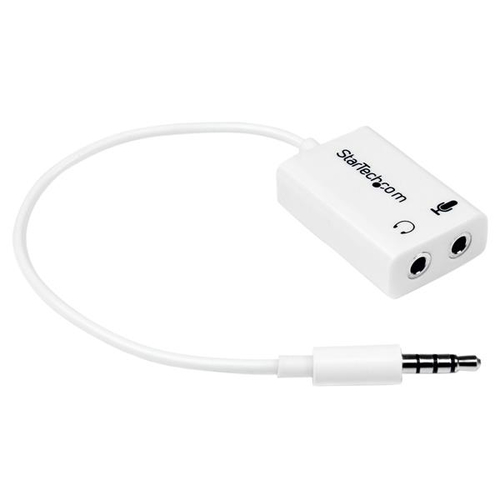
StarTech.com MUYHSMFFADW audio splitter White
MUYHSMFFADW
StarTech.com MUYHSMFFADW, White, 3.5mm, 2 x 3.5mm, Male, Female, Polyvinyl chloride (PVC)
Loading price
or
Loading price
/mo
13844
In stock
Description
Use this adapter to connect three independent displays to a single DP 1.2 port
This MST hub lets you connect three monitors to your DisplayPort™ (DP) 1.2 equipped Windows® laptop or desktop.
Increase productivity with multiple screens
The newest generations of computers are more portable than ever, which often means that you’re left with fewer video outputs and smaller integrated screens. This MST hub solves both of these problems by letting you connect three additional displays to your computer, which makes multitasking much easier.
Connect to any display
With the MST hub, you can use DisplayPort video adapters and cable adapters that enable you to connect HDMI, VGA or DVI displays. This ensures your MST hub will be compatible with virtually any television, monitor or projector. This MST hub is VESA and DisplayPort certified to support DP 1.2 enabled systems, for seamless integration with your existing video equipment.
Configure your displays for any environment
Using the MST hub, you can extend your desktop onto additional monitors and stream independent content to each display giving you the freedom to multitask and increase your productivity. You can also mirror the same image onto multiple displays for remote viewing applications such as digital signage.
Enjoy amazing video quality, without draining system resources
MST technology uses your existing video card to minimize the use of system resources while delivering Ultra HD 4K resolutions. This unprecedented performance makes MST perfect for high-resolution applications such as graphic design, gaming and medical imaging.
Note: When using a DisplayPort 1.1 video card the MSTDP123DP will act as splitter, automatically mirroring your video source across all displays. Resolution limitations apply.
The MSTDP123DP supports plug-and-play installation for a hassle-free setup, and is backed by a StarTech.com 3-year warranty and free lifetime technical support.
Note: MST shares 21.6 Gbps across all attached displays. Higher resolutions can restrict the available bandwidth with the remaining ports, please see our guideline below for determining an ideal resolution for your setup. Certain graphics adapters have limited MST support and will only output to three displays in total. If more than three monitors are attached the fourth will be disabled.
Average Resolution Bandwidth Allocation
1920x1080 (High-definition 1080p) @60hz - 22%
1920x1200 @60hz - 30%
2560x1440 @60hz - 35%
2560x1600 @60hz - 38%
3840 x 2160 (Ultra HD 4K) @30hz - 38%
Note: Exceeding 100% will reduce functionality.
Examples of Supported Resolution Configurations
Screen 1 Resolution
Screen 2 Resolution
Screen 3 Resolution
Total % of Bandwidth
1920x1200 @60hz (30%)
1920x1200 @60hz (30%)
1920x1200 @60hz (30%)
90%
2560x1440 @60hz (35%)
2560x1440 @60hz (35%)
1920x1200 @60hz (30%)
100%
2560x1600 @60hz (38%)
2560x1600 @60hz (38%)
1920x1080 @60hz (22%)
98%
3840x2160 @30hz (38%)
2560x1600 @60hz (38%)
1920x1080 @60hz (22%)
98%
3840x2160 @30hz (38%)
3840x2160 @30hz (38%)
1920x1080 @60hz (22%)
98%
Examples of Unsupported Resolution Configurations
Screen 1 Resolution
Screen 2 Resolution
Screen 3 Resolution
Total % of Bandwidth
2560x1600 @60hz (38%)
2560x1600 @60hz (38%)
1920x1200 @60hz (30%)
106%
3840x2160 @30hz (38%)
2560x1600 @60hz (38%)
1920x1200 @60hz (30%)
106%
3840x2160 @30hz (38%)
2560x1600 @60hz (38%)
2560x1440 @60hz (35%)
111%
3840x2160 @30hz (38%)
3840x2160 @30hz (38%)
3840x2160 @30hz (38%)
114%
The StarTech.com Advantage
This MST hub lets you connect three monitors to your DisplayPort™ (DP) 1.2 equipped Windows® laptop or desktop.
Increase productivity with multiple screens
The newest generations of computers are more portable than ever, which often means that you’re left with fewer video outputs and smaller integrated screens. This MST hub solves both of these problems by letting you connect three additional displays to your computer, which makes multitasking much easier.
Connect to any display
With the MST hub, you can use DisplayPort video adapters and cable adapters that enable you to connect HDMI, VGA or DVI displays. This ensures your MST hub will be compatible with virtually any television, monitor or projector. This MST hub is VESA and DisplayPort certified to support DP 1.2 enabled systems, for seamless integration with your existing video equipment.
Configure your displays for any environment
Using the MST hub, you can extend your desktop onto additional monitors and stream independent content to each display giving you the freedom to multitask and increase your productivity. You can also mirror the same image onto multiple displays for remote viewing applications such as digital signage.
Enjoy amazing video quality, without draining system resources
MST technology uses your existing video card to minimize the use of system resources while delivering Ultra HD 4K resolutions. This unprecedented performance makes MST perfect for high-resolution applications such as graphic design, gaming and medical imaging.
Note: When using a DisplayPort 1.1 video card the MSTDP123DP will act as splitter, automatically mirroring your video source across all displays. Resolution limitations apply.
The MSTDP123DP supports plug-and-play installation for a hassle-free setup, and is backed by a StarTech.com 3-year warranty and free lifetime technical support.
Note: MST shares 21.6 Gbps across all attached displays. Higher resolutions can restrict the available bandwidth with the remaining ports, please see our guideline below for determining an ideal resolution for your setup. Certain graphics adapters have limited MST support and will only output to three displays in total. If more than three monitors are attached the fourth will be disabled.
Average Resolution Bandwidth Allocation
1920x1080 (High-definition 1080p) @60hz - 22%
1920x1200 @60hz - 30%
2560x1440 @60hz - 35%
2560x1600 @60hz - 38%
3840 x 2160 (Ultra HD 4K) @30hz - 38%
Note: Exceeding 100% will reduce functionality.
Examples of Supported Resolution Configurations
Screen 1 Resolution
Screen 2 Resolution
Screen 3 Resolution
Total % of Bandwidth
1920x1200 @60hz (30%)
1920x1200 @60hz (30%)
1920x1200 @60hz (30%)
90%
2560x1440 @60hz (35%)
2560x1440 @60hz (35%)
1920x1200 @60hz (30%)
100%
2560x1600 @60hz (38%)
2560x1600 @60hz (38%)
1920x1080 @60hz (22%)
98%
3840x2160 @30hz (38%)
2560x1600 @60hz (38%)
1920x1080 @60hz (22%)
98%
3840x2160 @30hz (38%)
3840x2160 @30hz (38%)
1920x1080 @60hz (22%)
98%
Examples of Unsupported Resolution Configurations
Screen 1 Resolution
Screen 2 Resolution
Screen 3 Resolution
Total % of Bandwidth
2560x1600 @60hz (38%)
2560x1600 @60hz (38%)
1920x1200 @60hz (30%)
106%
3840x2160 @30hz (38%)
2560x1600 @60hz (38%)
1920x1200 @60hz (30%)
106%
3840x2160 @30hz (38%)
2560x1600 @60hz (38%)
2560x1440 @60hz (35%)
111%
3840x2160 @30hz (38%)
3840x2160 @30hz (38%)
3840x2160 @30hz (38%)
114%
The StarTech.com Advantage
- MULTI-MONITOR CONFIGURATION: Triple-Monitor DisplayPort 1.2 MST Hub drives up to 2x 4K 30Hz (UHD) + 1x 1080p 60Hz DisplayPort monitors using a DP video port on a Windows desktop PC or laptop; Not compatible with macOS
- NO DRIVERS OR SOFTWARE: Increase productivity by adding three extended or mirrored displays to a Windows computer; Utilize integrated or discrete GPU (Intel/AMD/Nvidia) capabilities enabling high performance graphics with minimal CPU usage
- HARDWARE COMPATIBILITY: Host system must support DP 1.2 / HBR2 / MST; Please verify maximum number of displays supported by your GPU; Some GPU chips (such as Intel HD Graphics) are only capable of supporting a maximum of three displays;
- EASY TO USE: Extend your desktop at your workstation in the office/home office; Latching DisplayPort connector ensures a reliable connection and prevents accidental disconnection; Not compatible with HDMI output ports; Universal Power Adapter included
- OUR ADVANTAGE: Included connectivity tools for IT Pro's and IT help-desk support teams with Windows Layout Utility which restores windows app locations when re-connecting the 3-Port DisplayPort Multi-Monitor Adapter
Specifications
Features
Plug and Play
Yes
Windows operating systems supported
Windows 10 Education, Windows 10 Education x64, Windows 10 Enterprise, Windows 10 Enterprise x64, Windows 10 Home, Windows 10 Home x64, Windows 10 Pro, Windows 10 Pro x64, Windows 7 Enterprise, Windows 7 Enterprise x64, Windows 7 Home Basic, Windows 7 Hom
Housing material
Plastic
Product color
Black
Cable length
7.48" (0.19 m)
Certification
REACH, CE, FCC
Logistics data
Master (outer) case height
9.06" (230 mm)
Master (outer) case width
13.4" (340 mm)
Master (outer) case length
19.7" (500 mm)
Quantity per master (outer) case
10 pc(s)
Harmonized System (HS) code
85176990
Operational conditions
Operating temperature (T-T)
0 - 45 °C
Storage temperature (T-T)
-20 - 70 °C
Packaging content
Included power plug types
AU, EU, NA, UK
Manual
Yes
AC adapter included
Yes
Packaging data
Package depth
6.1" (155 mm)
Package height
2.17" (55 mm)
Package width
9.02" (229 mm)
Package weight
14.4 oz (409 g)
Ports & interfaces
Video out
3x DisplayPort
Video port type
DisplayPort
Video ports quantity
3
Power
AC input voltage
110 - 240 V
Input current
0.5 A
Output current
3 A
Output voltage
5 V
Power consumption (typical)
15 W
Technical details
Compliance certificates
RoHS
Weight & dimensions
Weight
3.49 oz (99 g)
Width
3.07" (78 mm)
Depth
15.2" (386 mm)
Height
0.787" (20 mm)
Alternative Products
StarTech.com MUYHSFMM audio cable 5.12" (0.13 m) 3.5mm 2 x...
MUYHSFMM
StarTech.com MUYHSFMM, 3.5mm, Male, 2 x 3.5mm, Female, 5.12" (0.13 m), Black
Loading price
or
Loading price
/mo
1900
In stock
Monoprice 15262 video switch HDMI
15262
Monoprice 15262, HDMI, Black, 1080p, 10.2 Gbit/s, 7.1 channels, 4K Ultra HD
Loading price
or
Loading price
/mo
290
In stock
StarTech.com RJ45SPLITTER network splitter Gray
RJ45SPLITTER
StarTech.com RJ45SPLITTER, 10/100Base-T(X), Cat5e, Gray, Polyvinyl chloride (PVC), 13" (0.33 m), Mal
Loading price
or
Loading price
/mo
2447
In stock
StarTech.com MUYHSMFFADW audio splitter White
MUYHSMFFADW
StarTech.com MUYHSMFFADW, White, 3.5mm, 2 x 3.5mm, Male, Female, Polyvinyl chloride (PVC)
Loading price
or
Loading price
/mo
13844
In stock
MSTDP123DP
StarTech.com MSTDP123DP video splitter DisplayPort 3x DisplayPort
Use this adapter to connect three independent displays to a single DP 1.2 portThis MST hub lets you connect three monitors to your DisplayPort™ (DP) 1.2 equipped Windows® laptop or desktop.
Increase productivity with multiple screens
The newest generations of computers are more portable than ever, which often means that you’re left with fewer video outputs and smaller integrated screens. This MST hub solves both of these problems by letting you connect three additional displays to your computer, which makes multitasking much easier.
Connect to any display
With the MST hub, you can use DisplayPort video adapters and cable adapters that enable you to connect HDMI, VGA or DVI displays. This ensures your MST hub will be compatible with virtually any television, monitor or projector. This MST hub is VESA and DisplayPort certified to support DP 1.2 enabled systems, for seamless integration with your existing video equipment.
Configure your displays for any environment
Using the MST hub, you can extend your desktop onto additional monitors and stream independent content to each display giving you the freedom to multitask and increase your productivity. You can also mirror the same image onto multiple displays for remote viewing applications such as digital signage.
Enjoy amazing video quality, without draining system resources
MST technology uses your existing video card to minimize the use of system resources while delivering Ultra HD 4K resolutions. This unprecedented performance makes MST perfect for high-resolution applications such as graphic design, gaming and medical imaging.
Note: When using a DisplayPort 1.1 video card the MSTDP123DP will act as splitter, automatically mirroring your video source across all displays. Resolution limitations apply.
The MSTDP123DP supports plug-and-play installation for a hassle-free setup, and is backed by a StarTech.com 3-year warranty and free lifetime technical support.
Note: MST shares 21.6 Gbps across all attached displays. Higher resolutions can restrict the available bandwidth with the remaining ports, please see our guideline below for determining an ideal resolution for your setup. Certain graphics adapters have limited MST support and will only output to three displays in total. If more than three monitors are attached the fourth will be disabled.
Average Resolution Bandwidth Allocation
1920x1080 (High-definition 1080p) @60hz - 22%
1920x1200 @60hz - 30%
2560x1440 @60hz - 35%
2560x1600 @60hz - 38%
3840 x 2160 (Ultra HD 4K) @30hz - 38%
Note: Exceeding 100% will reduce functionality.
Examples of Supported Resolution Configurations
Screen 1 Resolution
Screen 2 Resolution
Screen 3 Resolution
Total % of Bandwidth
1920x1200 @60hz (30%)
1920x1200 @60hz (30%)
1920x1200 @60hz (30%)
90%
2560x1440 @60hz (35%)
2560x1440 @60hz (35%)
1920x1200 @60hz (30%)
100%
2560x1600 @60hz (38%)
2560x1600 @60hz (38%)
1920x1080 @60hz (22%)
98%
3840x2160 @30hz (38%)
2560x1600 @60hz (38%)
1920x1080 @60hz (22%)
98%
3840x2160 @30hz (38%)
3840x2160 @30hz (38%)
1920x1080 @60hz (22%)
98%
Examples of Unsupported Resolution Configurations
Screen 1 Resolution
Screen 2 Resolution
Screen 3 Resolution
Total % of Bandwidth
2560x1600 @60hz (38%)
2560x1600 @60hz (38%)
1920x1200 @60hz (30%)
106%
3840x2160 @30hz (38%)
2560x1600 @60hz (38%)
1920x1200 @60hz (30%)
106%
3840x2160 @30hz (38%)
2560x1600 @60hz (38%)
2560x1440 @60hz (35%)
111%
3840x2160 @30hz (38%)
3840x2160 @30hz (38%)
3840x2160 @30hz (38%)
114%
The StarTech.com Advantage
- MULTI-MONITOR CONFIGURATION: Triple-Monitor DisplayPort 1.2 MST Hub drives up to 2x 4K 30Hz (UHD) + 1x 1080p 60Hz DisplayPort monitors using a DP video port on a Windows desktop PC or laptop; Not compatible with macOS
- NO DRIVERS OR SOFTWARE: Increase productivity by adding three extended or mirrored displays to a Windows computer; Utilize integrated or discrete GPU (Intel/AMD/Nvidia) capabilities enabling high performance graphics with minimal CPU usage
- HARDWARE COMPATIBILITY: Host system must support DP 1.2 / HBR2 / MST; Please verify maximum number of displays supported by your GPU; Some GPU chips (such as Intel HD Graphics) are only capable of supporting a maximum of three displays;
- EASY TO USE: Extend your desktop at your workstation in the office/home office; Latching DisplayPort connector ensures a reliable connection and prevents accidental disconnection; Not compatible with HDMI output ports; Universal Power Adapter included
- OUR ADVANTAGE: Included connectivity tools for IT Pro's and IT help-desk support teams with Windows Layout Utility which restores windows app locations when re-connecting the 3-Port DisplayPort Multi-Monitor Adapter
Technical specifications
Features
Plug and Play
Yes
Windows operating systems supported
Windows 10 Education, Windows 10 Education x64, Windows 10 Enterprise, Windows 10 Enterprise x64, Windows 10 Home, Windows 10 Home x64, Windows 10 Pro, Windows 10 Pro x64, Windows 7 Enterprise, Windows 7 Enterprise x64, Windows 7 Home Basic, Windows 7 Hom
Housing material
Plastic
Product color
Black
Cable length
7.48" (0.19 m)
Certification
REACH, CE, FCC
Logistics data
Master (outer) case height
9.06" (230 mm)
Master (outer) case width
13.4" (340 mm)
Master (outer) case length
19.7" (500 mm)
Quantity per master (outer) case
10 pc(s)
Harmonized System (HS) code
85176990
Operational conditions
Operating temperature (T-T)
0 - 45 °C
Storage temperature (T-T)
-20 - 70 °C
Packaging content
Included power plug types
AU, EU, NA, UK
Manual
Yes
AC adapter included
Yes
Packaging data
Package depth
6.1" (155 mm)
Package height
2.17" (55 mm)
Package width
9.02" (229 mm)
Package weight
14.4 oz (409 g)
Ports & interfaces
Video out
3x DisplayPort
Video port type
DisplayPort
Video ports quantity
3
Power
AC input voltage
110 - 240 V
Input current
0.5 A
Output current
3 A
Output voltage
5 V
Power consumption (typical)
15 W
Technical details
Compliance certificates
RoHS
Weight & dimensions
Weight
3.49 oz (99 g)
Width
3.07" (78 mm)
Depth
15.2" (386 mm)
Height
0.787" (20 mm)
Alternative Products
StarTech.com MUYHSFMM audio cable 5.12" (0.13 m) 3.5mm 2 x...
MUYHSFMM
StarTech.com MUYHSFMM, 3.5mm, Male, 2 x 3.5mm, Female, 5.12" (0.13 m), Black
Loading price
or
Loading price
/mo
1900
In stock
Monoprice 15262 video switch HDMI
15262
Monoprice 15262, HDMI, Black, 1080p, 10.2 Gbit/s, 7.1 channels, 4K Ultra HD
Loading price
or
Loading price
/mo
290
In stock
StarTech.com RJ45SPLITTER network splitter Gray
RJ45SPLITTER
StarTech.com RJ45SPLITTER, 10/100Base-T(X), Cat5e, Gray, Polyvinyl chloride (PVC), 13" (0.33 m), Mal
Loading price
or
Loading price
/mo
2447
In stock
StarTech.com MUYHSMFFADW audio splitter White
MUYHSMFFADW
StarTech.com MUYHSMFFADW, White, 3.5mm, 2 x 3.5mm, Male, Female, Polyvinyl chloride (PVC)
Loading price
or
Loading price
/mo
13844
In stock
Alternative Products
Complete Your Collection with These Popular Picks!
StarTech.com MUYHSFMM audio cable 5.12" (0.13 m) 3.5mm 2 x...
MUYHSFMM
StarTech.com MUYHSFMM, 3.5mm, Male, 2 x 3.5mm, Female, 5.12" (0.13 m), Black
Loading price
or
Loading price
/mo
1900
In stock
Monoprice 15262 video switch HDMI
15262
Monoprice 15262, HDMI, Black, 1080p, 10.2 Gbit/s, 7.1 channels, 4K Ultra HD
Loading price
or
Loading price
/mo
290
In stock
StarTech.com RJ45SPLITTER network splitter Gray
RJ45SPLITTER
StarTech.com RJ45SPLITTER, 10/100Base-T(X), Cat5e, Gray, Polyvinyl chloride (PVC), 13" (0.33 m), Mal
Loading price
or
Loading price
/mo
2447
In stock
StarTech.com MUYHSMFFADW audio splitter White
MUYHSMFFADW
StarTech.com MUYHSMFFADW, White, 3.5mm, 2 x 3.5mm, Male, Female, Polyvinyl chloride (PVC)
Loading price
or
Loading price
/mo
13844
In stock